
The Back Story…
I started recording music in the summer of 2001 a good friend of mine introduced Pro Tools M-Powered 7.1 and I instantly loved the way it looked and sound. A few months later I went to the computer store and got myself a PC, a copy of Pro Tools M-Powered and M-audio 1814 audio interface. This was my very beginning journey of using M-audio gear.


As time progressed I invested in the M-audio project mix for not only I/O but also the ability to control Pro Tools M-Powered with faders. This was an amazing opportunity because mixing on computer with a mouse can get challenging if you need to grab more than one fader at a time when writing automation.
As me and my band Airplai continued to compose music and wrote more songs and recorded in my home studio as well as on tour with the M-audio 1814 portable audio interface, this setup was a dream come true.

Pro Tools M-Powered 8 was released in 2008 with an all new graphical interface and many new features. Clearly I had to jump on it. Little did I know that this would come with a few problems… incompatibility! At this point my computer was getting old and needed an upgrade. I was using a Dell desktop tower at the time but I decided I would go with a MacBook Pro next because I was told by other Audio Professionals that Macs are better with Pro Tools. So I went down the rabbit hole and came out with a Mac.
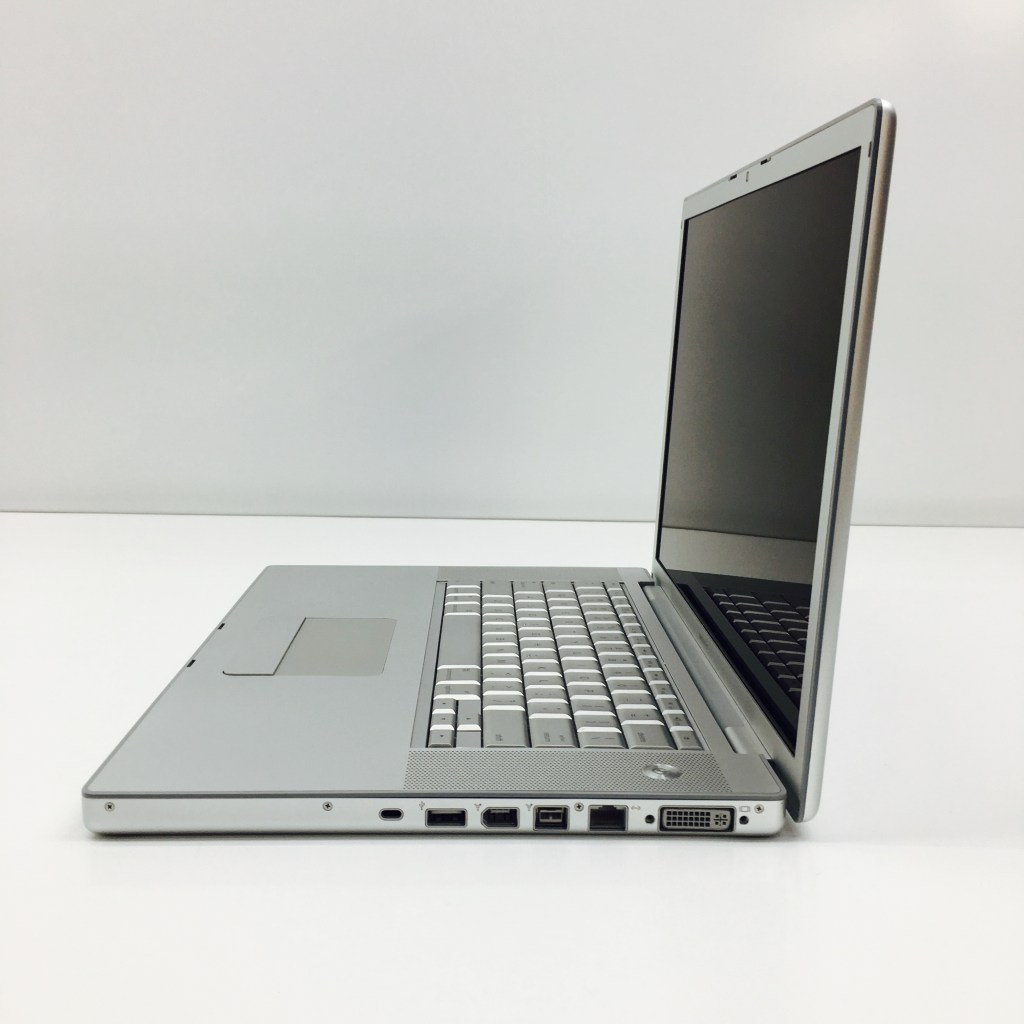
Now I needed to transfer all my work over as well as find equivalent software to all the Windows apps, this was a lot tougher and time consuming that I thought. On a positive note, the MacBook Pro had Firewire builtin and there was no need to add it after like I did with my Dell computer. All my audio interfaces had Firewire, which to this day is more that enough speed for audio despite using Thunderbolt and even AVB (Ethernet) today. Ok, that was a brief history of my journey so far into the world of Pro Audio.

Going Deeper…
Today I still use M-audio gear despite how old and discontinued they are. They just sound good to me. My current setup is a Motu 828 Hybrid Firewire/USB audio interface, which I purchased used for less than half of the retail price. You may ask where are the M-audio gear? For obvious reasons I had to go with a different company, because M-audio drivers for my current M-audio Profire 2626 (I sold the Projectmix and 1814) have not been updated since 2014, almost a decade. MOTU somehow kept their Firewire hardware current even today, even though Mac computers no longer use Firewire. We will talk about how I got around that obstacle, later in the blog.
There are certain protocols that have stood the test of time, namely; MIDI, ADAT, S/PDIF, Dante, MADI and AVB. The cool thing is my M-audio Profire 2626 has ADAT and can be used in stand alone mode which worked out great, because the Motu 828 is equipped with two sets of ADAT ins and outs…Yesssss! Which everything setup, I get a total of 28 inputs and 30 outputs, enough outputs for a 9.1.6 Dolby Atmos Mix. Another cool thing about the Motu 828 is that I am able to group any number of outputs and monitor with one knob, a feature I would have had to spend thousands of dollars to acquire.

The Solution…
To get around the roadblock of using Firewire with an Apple Mac Studio (only Thunderbolt 4), was to purchase a couple of apapters from Apple.com


The Mixer…
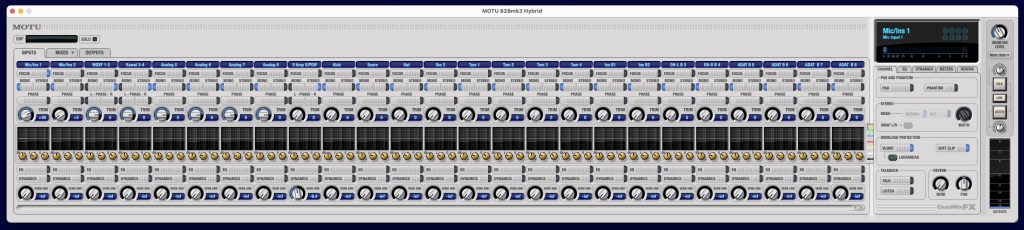
The MOTU Software mixer is incredible, about as flexible as the M-audio mixer was with a few extras. One great thing about the Motu mixer is it has DSP (Digital Signal Processing) and zero latency. At this price point, I can not complain about using an external mixer with Pro Tools. Eventually I may upgrade to a Pro Tools Carbon and run it along side the Motu but for now this great. I am able to make up to eight headphones mixes without needing to set it up in any DAW.
Find out more about MOTU here.


Avid Pro Tools integration
How does it integrates into Pro Tools, you ask? MOTU 828 Hybrid has a few more tricks up it’s sleeve. In the MOTU Audio Setup application enables up to make edits to many aspects of the hardware, including naming your I/O to what ever you like. This shows up at default in Pro Tools, which is awesome!

All you Bus mapping is already labled inside of Pro Tools and in other Digital Audio Workstations too.


Conclusion…
Despite the MOTU 828 Hybrid Firewire/USB being released in 2011 over 12 years old, it works fantastic. At this rate getting a modern MOTU interface when this one stops working will likely be the route I take. The Pro Tools Carbon is an incredible interface too and at the point of me writing the blog in 2023, you get Pro Tools Ultimate ($2,500 software) for FREE!!!
In closing, the risks of using old hardware with new computers are great but less daunting if you do your research first and choose companies that has a good track record of writing great drivers, for example RME is another great company that makes fantastic audio interfaces.
 Donald Waugh
Wow! Gotta love that M-Powered!
LikeLiked by 1 person
Absolutely!
LikeLike